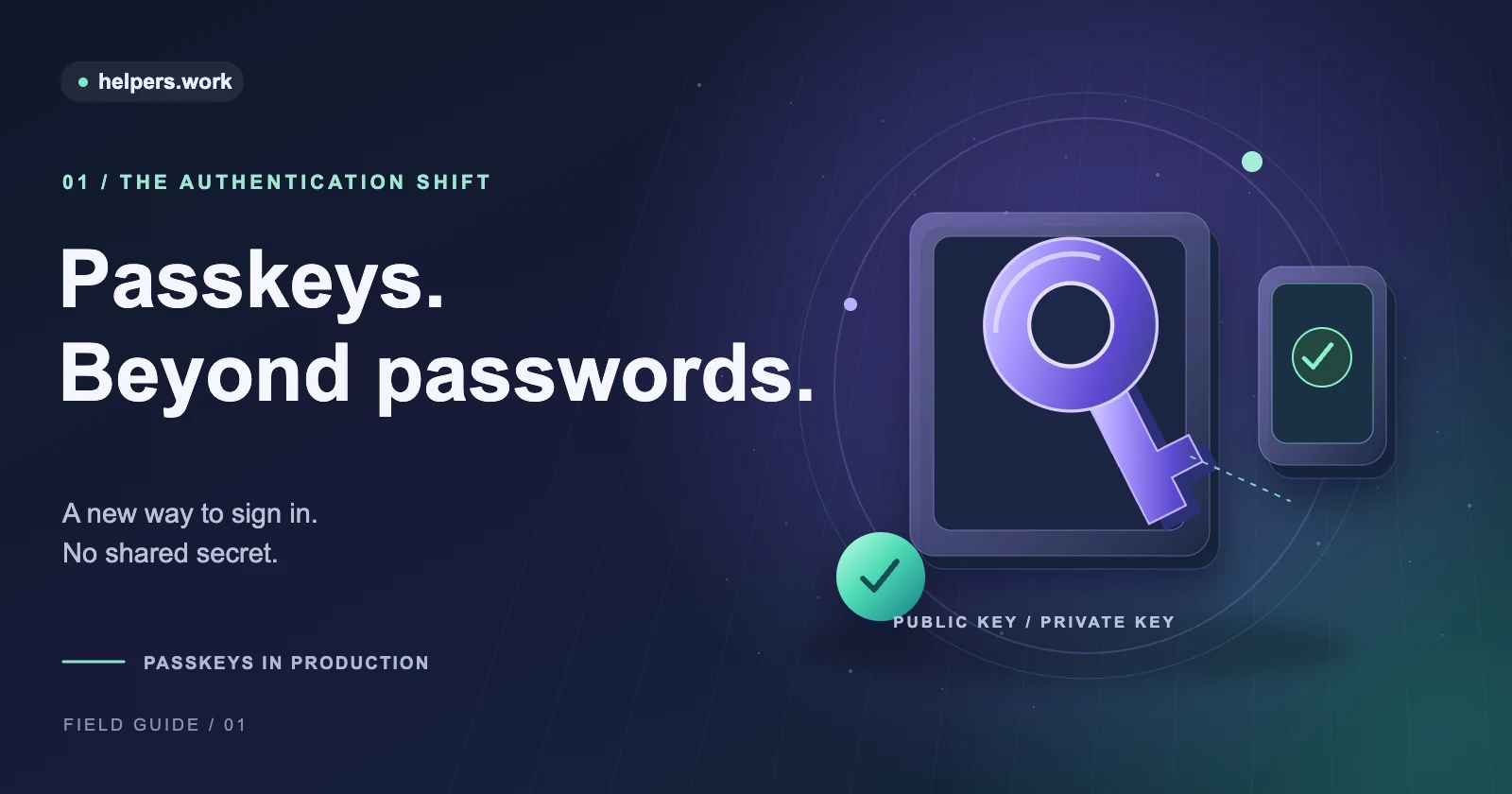
A passkey is a public-key credential that lets someone sign in without typing a reusable password. The website stores a public key. An authenticator uses the corresponding private key to answer a fresh challenge, usually after the user approves the request with a device unlock method.
For users, that may look like a fingerprint prompt, face verification, a device PIN, or interaction with a security key. For developers, it means replacing a shared-secret check with a carefully verified authentication ceremony. The visible prompt is only one part of the system.
This is the first article in our passkey deployment series. Start here for the mental model, then follow the production deployment checklist. If you already have an implementation, the Passkey Deployment Checker can inspect its public configuration, but it cannot certify that sign-in works.
How a passkey works
Passkey authentication has two main operations: registering a credential and using that credential to authenticate. On the web, these operations use WebAuthn, the browser API for public-key credentials.
Registration creates a credential
A simplified registration flow looks like this:
- Your server prepares a fresh, unpredictable challenge and registration options.
- The browser asks an authenticator to create a credential for your relying party.
- The user approves the request using the authenticator's supported interaction.
- The browser returns credential data to your server.
- Your server verifies the response before saving the credential ID, public key, and account association.
The private key is not returned to your website. With a synced passkey, the credential provider may securely synchronize the private key across the user's devices. With a device-bound credential, it remains bound to a particular authenticator. Neither arrangement gives your application a private key to store.
Registration is security-sensitive because it adds a new way to access an account. For an existing account, do not let an untrusted or insufficiently verified session enroll an attacker-controlled credential. Treat enrollment and recovery as authentication decisions, not just profile edits.
Authentication proves possession
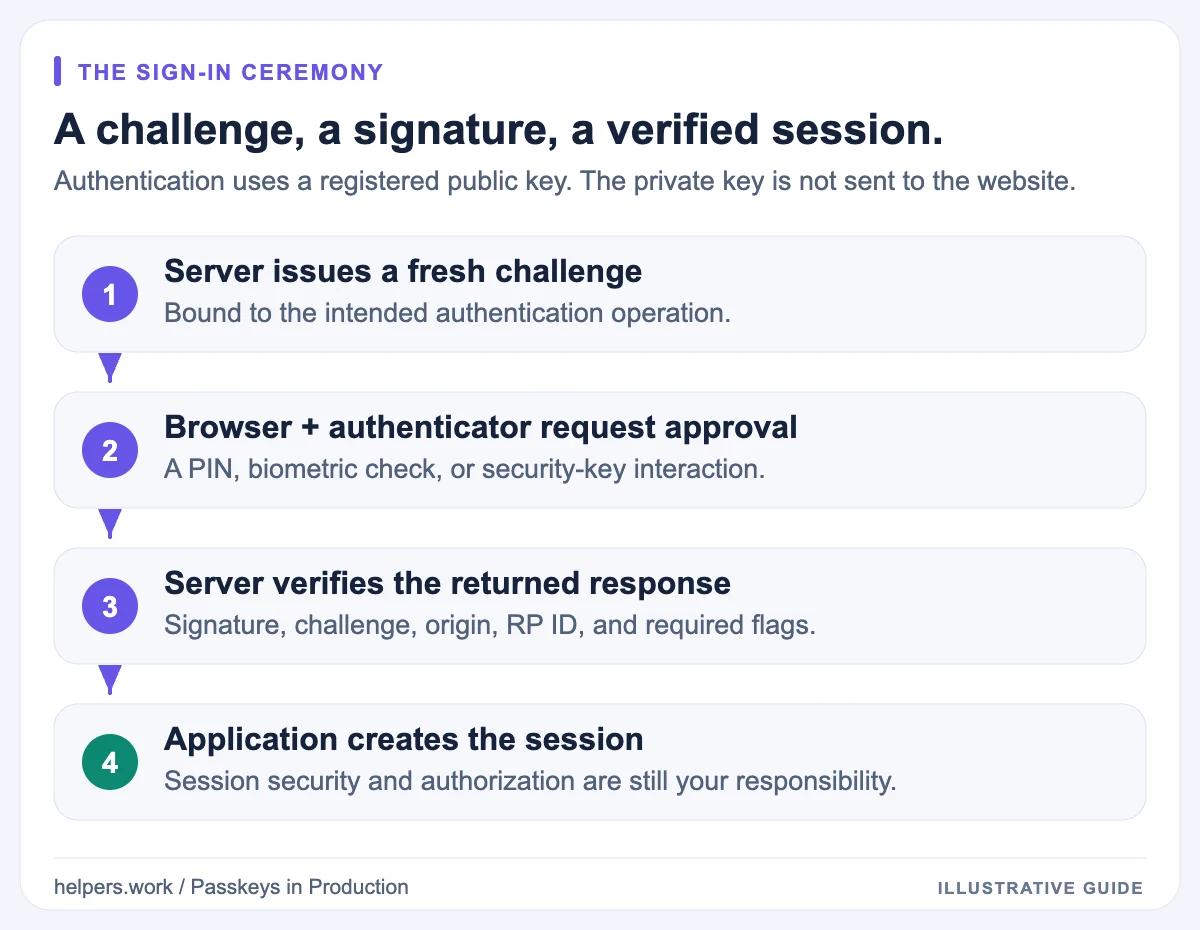
For sign-in, the server issues another challenge. The authenticator produces a signature using the private key, and the server verifies that signature using the stored public key.
Verification also checks context. A mathematically correct signature is not enough if it belongs to the wrong challenge, relying party, origin, or account. User presence and user verification requirements must match your policy.
A useful mental model is:
Server challenge + browser context
                |
                v
Authenticator approval and signature
                |
                v
Server verification against the stored public key
                |
                v
Application session
That final session remains your application's responsibility. Passkeys do not automatically secure cookies, authorization checks, or every action someone can perform after signing in.
Passkeys, passwords, and MFA compared
A password is a reusable secret presented to a service. A properly implemented password system stores a slow password hash rather than the plaintext, but users can still disclose the password to an imitation website.
A passkey is scoped to a relying party. The browser and authenticator enforce that scope rather than asking the person to decide whether a page looks legitimate.
| Property | Password | Passkey |
|---|---|---|
| What the website stores | A password verifier, normally a salted hash | A public key and credential metadata |
| What the user types | A reusable secret | Usually no website-specific secret |
| Ordinary credential phishing | A fake page can collect the password | RP scoping prevents ordinary lookalike-domain reuse |
| Use across devices | Remember, type, or synchronize a password | Depends on provider, sync, device, or cross-device support |
| Recovery | Reset or alternative authentication | Another credential or a separate recovery process |
Passkeys and multi-factor authentication are not simple opposites. A passkey operation can combine possession of an authenticator with local user verification. Whether that satisfies a particular MFA or assurance policy depends on the credential, verification settings, and the policy itself.
Do not claim that every WebAuthn operation automatically meets every compliance requirement. A hardware key used with only a touch is not the same user-verification policy as an authenticator requiring a PIN or biometric check.
Why passkeys resist phishing
The relying party identifier, or RP ID, is a domain name that scopes a credential. If your RP ID is example.com, an imitation site at example-login.net cannot normally request credentials for it.
The server must also verify the browser's origin. That origin includes the scheme, hostname, and port. RP ID and origin are related, but they are not interchangeable settings.
This is why passkeys offer a different security property from a one-time code. A person can type an OTP into a live phishing page. A correctly scoped WebAuthn credential is not simply a code that the user can copy into any page.
There are intentional ways to authorize other domains, including Related Origin Requests. Those mechanisms expand the trust boundary and need careful configuration. Our RP ID and related origins guide explains the distinction between ordinary subdomains and genuinely different domains.
Phishing resistance is not immunity to all account compromise. Malware, a stolen authenticated session, a compromised application server, malicious enrollment, and weak recovery remain relevant. Avoid marketing language that turns a strong authentication property into an absolute security guarantee.
Where passkeys are stored
The storage model matters to both user experience and support.
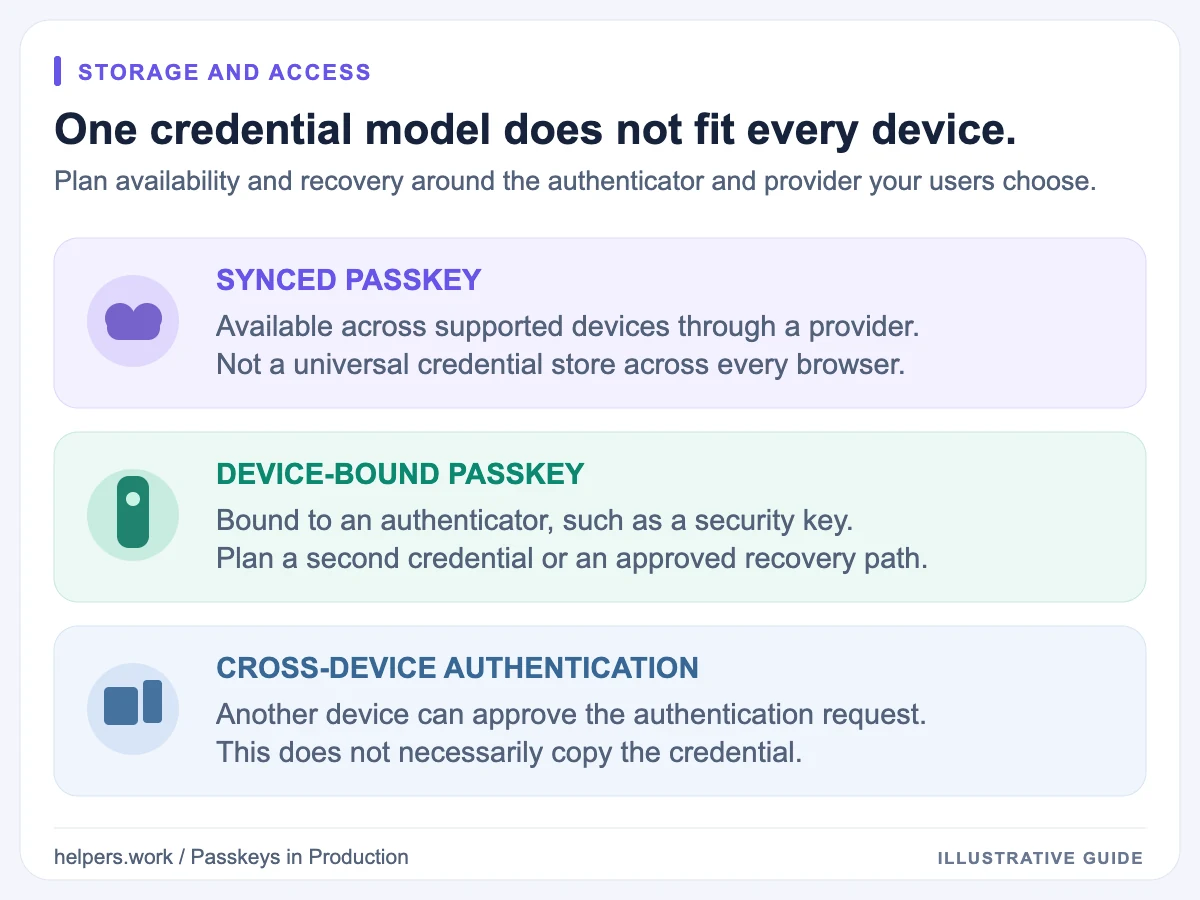
Synced passkeys
A credential provider can make passkeys available on multiple devices associated with the user's provider account. This reduces the need to enroll a separate credential on every device.
Sync does not mean every browser and password manager shares one universal credential store. Availability depends on the chosen provider, platform, settings, and supported transfer or access mechanisms. Test the combinations your audience actually uses.
Device-bound passkeys
A credential can also be bound to an authenticator, such as a hardware security key. This can be useful where organizational policies require control over credential hardware.
The operational trade-off is recovery. If the only usable credential is on a lost or damaged device, the user needs another approved way to regain access. Registering an additional credential can be safer and simpler than relying on an emergency help-desk exception.
Cross-device authentication
Some flows let users approve sign-in on another device, often after scanning a QR code. This is an authentication interaction, not proof that the credential was copied to the computer.
Document what users should expect, but avoid promising an identical flow everywhere. Browser, operating-system, authenticator, and provider support can differ, particularly for embedded browsers and older managed devices.
What users should see in your product
Use language that describes the action: "Create a passkey," "Sign in with a passkey," and "Manage passkeys." Avoid telling every user to scan a fingerprint, because their authenticator may use a PIN or a security key instead.
After enrollment, show the credential in account settings with a useful label and a removal action. Explain that deleting a credential from your service and deleting its local copy from a credential provider may be separate actions.
Cancellation should not look like an account failure. If someone closes the browser prompt, keep the page usable and provide a clear retry or alternative sign-in path.
Support teams also need instructions. They should know how to distinguish a missing credential, an unsupported client, an RP ID mismatch, and an account-recovery request without asking for sensitive authenticator material.
What developers must deploy
The basic web deployment needs:
- A trustworthy HTTPS origin for production.
- A stable RP ID chosen before users register credentials.
- A server implementation that verifies registration and authentication responses.
- Persistent credential-to-account mappings.
- Enrollment, management, and recovery flows.
- Browser and device testing that reflects the intended audience.
Additional files are conditional, not a universal passkey installation bundle:
| Configuration | When it matters |
|---|---|
/.well-known/webauthn |
One RP ID must work from different domains through Related Origin Requests |
/.well-known/passkey-endpoints |
You want clients to discover passkey enrollment or management pages |
| Apple association file | A native Apple app needs the relevant website credential association |
| Android Digital Asset Links | An Android app needs the relevant website credential association |
A web-only deployment on one suitable domain may work without any of those optional discovery or association files. Do not add configuration you do not need merely to make a dashboard display more green checks.
Use the SSL Certificate Checker when HTTPS validation fails. The certificate chain guide explains why a site can appear fine in one client but fail elsewhere.
Plan recovery before removing passwords
Removing the password field does not remove the need to recover an account. Write down what happens when someone loses a device, changes credential providers, loses access to a synced account, or leaves an organization.
For each recovery path, ask who is allowed to start it, what evidence is required, and whether the resulting session can immediately add a new passkey. A weak reset flow can undermine a strong sign-in mechanism.
It is reasonable to roll out passkeys alongside existing authentication while gathering evidence. That is a migration strategy, not a failure to be passwordless. However, any retained fallback needs its own abuse controls and monitoring.
Measure adoption without collecting unnecessary data
Useful metrics include enrollment completion, authentication completion, cancellation rates, and recovery demand. Distinguish client incompatibility from server rejection so the team can fix the right layer.
Prefer aggregate outcomes over raw credential payloads. Challenges, assertions, account identifiers, and device-related metadata should not become routine analytics events simply because they are available.
Measure changes against your own baseline. Claims such as "passkeys always reduce support by a fixed percentage" are not a substitute for evidence from your deployment.
Next steps
Read the passkey deployment checklist before rollout, then use the Passkey Deployment Checker guide to interpret public configuration results. The wider security guides cover the HTTPS foundations that authentication depends on.
The goal is not to replace one button with another. It is to establish a reliable credential lifecycle: enrollment, authentication, management, and recovery, with a trust boundary you can explain and test.
References
- W3C Web Authentication Level 3 for credential operations and verification requirements.
- MDN Web Authentication API for browser concepts and compatibility information.
- web.dev: Related Origin Requests for cross-domain credential use.