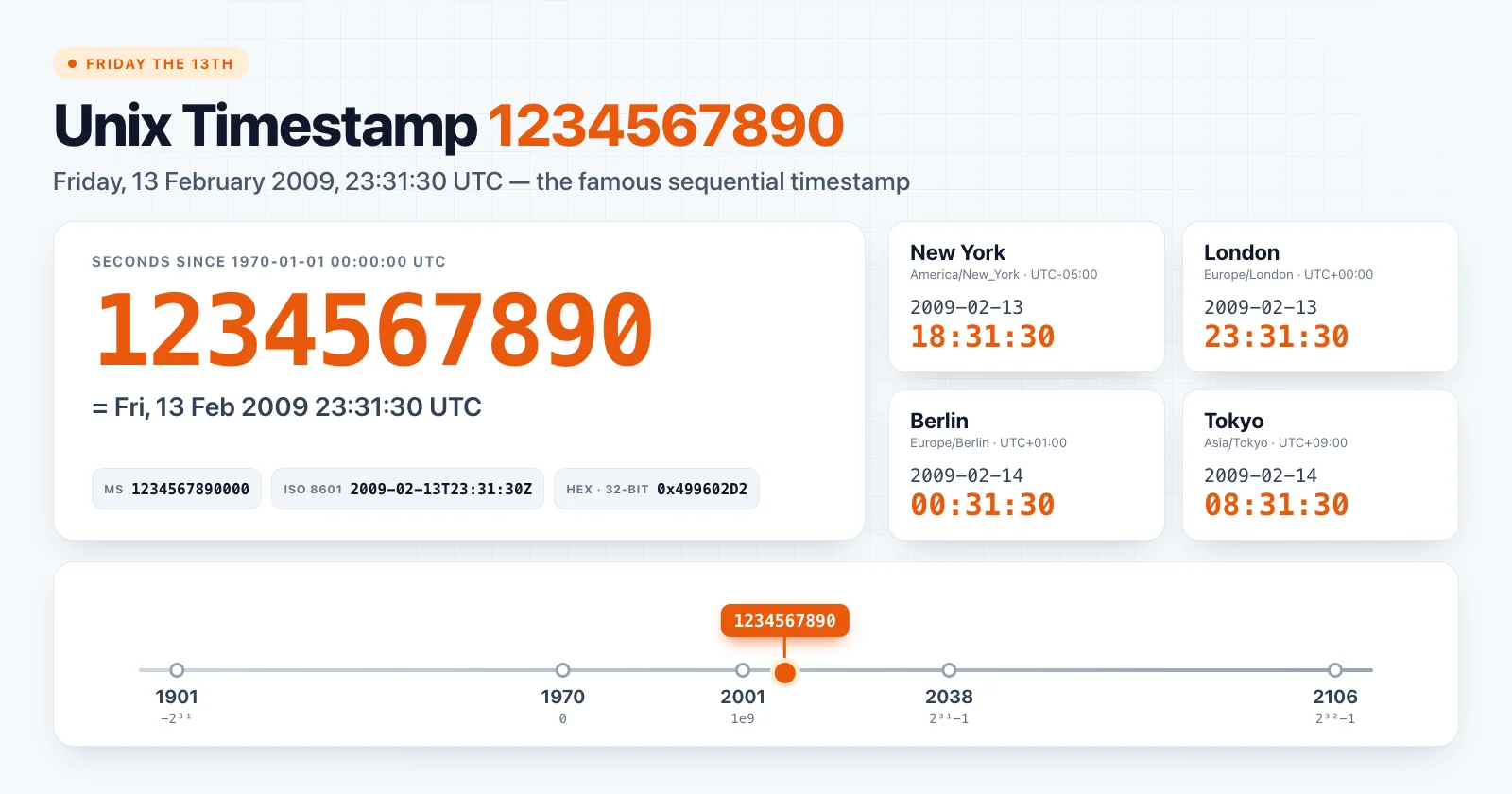
Unix timestamp 1234567890 is Friday, 13 February 2009, 23:31:30 UTC. It is probably the most recognisable Unix timestamp ever: the digits count from 1 to 0, and in UTC it landed on a Friday the 13th.
Because it is so easy to remember, 1234567890 shows up everywhere: in API documentation, code samples, unit tests and placeholder data. This article covers what the value means, how it looks around the world, and when it is a poor choice for testing.
Unix timestamp 1234567890 at a glance
| Format | Value |
|---|---|
| Unix seconds | 1234567890 |
| Unix milliseconds | 1234567890000 |
| ISO 8601 (UTC) | 2009-02-13T23:31:30Z |
| RFC 1123 | Fri, 13 Feb 2009 23:31:30 GMT |
| Day of week (UTC) | Friday |
| Hex (32-bit) | 0x499602D2 |
Try it in the Unix Timestamp Converter.
Friday the 13th or Valentine's Day?
The instant happened half an hour before midnight UTC, so the calendar date depends heavily on where you were:
| Location | Local date and time | Offset | Local weekday |
|---|---|---|---|
| Los Angeles | 2009-02-13 15:31:30 | UTC−08:00 | Friday |
| New York | 2009-02-13 18:31:30 | UTC−05:00 | Friday |
| London | 2009-02-13 23:31:30 | UTC+00:00 | Friday |
| Berlin | 2009-02-14 00:31:30 | UTC+01:00 | Saturday |
| Kolkata | 2009-02-14 05:01:30 | UTC+05:30 | Saturday |
| Tokyo | 2009-02-14 08:31:30 | UTC+09:00 | Saturday |
| Sydney | 2009-02-14 10:31:30 | UTC+11:00 | Saturday |
For most of Europe, Asia and Australia, the famous moment fell on 14 February, Valentine's Day. Sydney was on daylight saving time in February, so its offset was UTC+11:00 rather than the UTC+10:00 it uses in winter.
That makes 1234567890 a good small demonstration of a real rule: a timestamp identifies an instant, not a day. Which day it belongs to depends on the time zone you choose when formatting it. See Does a Unix timestamp have a time zone? for the full explanation.
Why developers remember it
When Unix time approached 1234567890, developers and Unix enthusiasts counted down to it, much as they had for the billennium in 2001. The sequence of digits made it an easy value to recognise, and after the event it became a standard "example timestamp".
You will still find it in:
- REST API documentation showing a
created_atorupdated_atfield; - JSON examples and OpenAPI schemas;
- unit tests that need "some fixed timestamp";
- tutorials explaining how to convert Unix time.
The seconds and milliseconds trap
Because 1234567890 is so often written without a unit, it is a common source of unit confusion. Read as milliseconds, it is only two weeks after the epoch:
new Date(1234567890).toISOString() // "1970-01-15T06:56:07.890Z"
new Date(1234567890 * 1000).toISOString() // "2009-02-13T23:31:30.000Z"
Going the other way, a millisecond value 1234567890000 read as seconds lands tens of thousands of years in the future. If you see a date in January 1970 or an impossible year, check the unit first. The main guide covers this in seconds vs milliseconds.
A related sanity check: in 2009 the value 123456789, with nine digits, would have looked plausible but actually points to 1973-11-29 21:33:09 UTC. Dropping or adding a single digit moves a timestamp by decades.
Is 1234567890 good test data?
It is fine as a readable fixture, but it tests very little on its own:
- It is not near any boundary. It will not catch overflow at 2147483647 or problems with negative timestamps.
- It is in February of a non-leap year, so leap-day logic is not exercised.
- It is not near a daylight saving transition in most regions.
- It is in the past, so code that rejects past dates may treat it as invalid.
A better approach is to keep 1234567890 for readability, and add a small set of boundary values:
const TEST_TIMESTAMPS = [
  0, // Unix epoch
  -1, // one second before the epoch
  951782400, // 2000-02-29 00:00:00 UTC, leap day
  1234567890, // readable example
  2147483647, // max signed 32-bit
  2147483648 // first value after the 32-bit limit
]
Also test at least one timestamp that falls on different calendar days in the time zones you support. 1234567890 itself is a good candidate for that: it is 13 February in New York and 14 February in Berlin.
Converting 1234567890 in code
JavaScript
const date = new Date(1234567890 * 1000)

date.toISOString() // "2009-02-13T23:31:30.000Z"

new Intl.DateTimeFormat('en-GB', {
  dateStyle: 'full',
  timeStyle: 'long',
  timeZone: 'Europe/Berlin'
}).format(date)
// "Saturday, 14 February 2009 at 00:31:30 CET"
Python
from datetime import datetime, timezone
from zoneinfo import ZoneInfo

utc = datetime.fromtimestamp(1234567890, tz=timezone.utc)
print(utc.isoformat())  # 2009-02-13T23:31:30+00:00
print(utc.astimezone(ZoneInfo("Asia/Tokyo")))  # 2009-02-14 08:31:30+09:00
Shell
date -u -d @1234567890     # GNU/Linux
date -u -r 1234567890      # macOS / BSD
Summary
Unix timestamp 1234567890 is 2009-02-13 23:31:30 UTC: Friday the 13th in UTC and the Americas, Valentine's Day in most of the Eastern Hemisphere. It is a great readable example and a weak test on its own, so pair it with boundary values.
Check it in the Unix Timestamp Converter, and see how it fits among other round numbers in Unix time milestones.