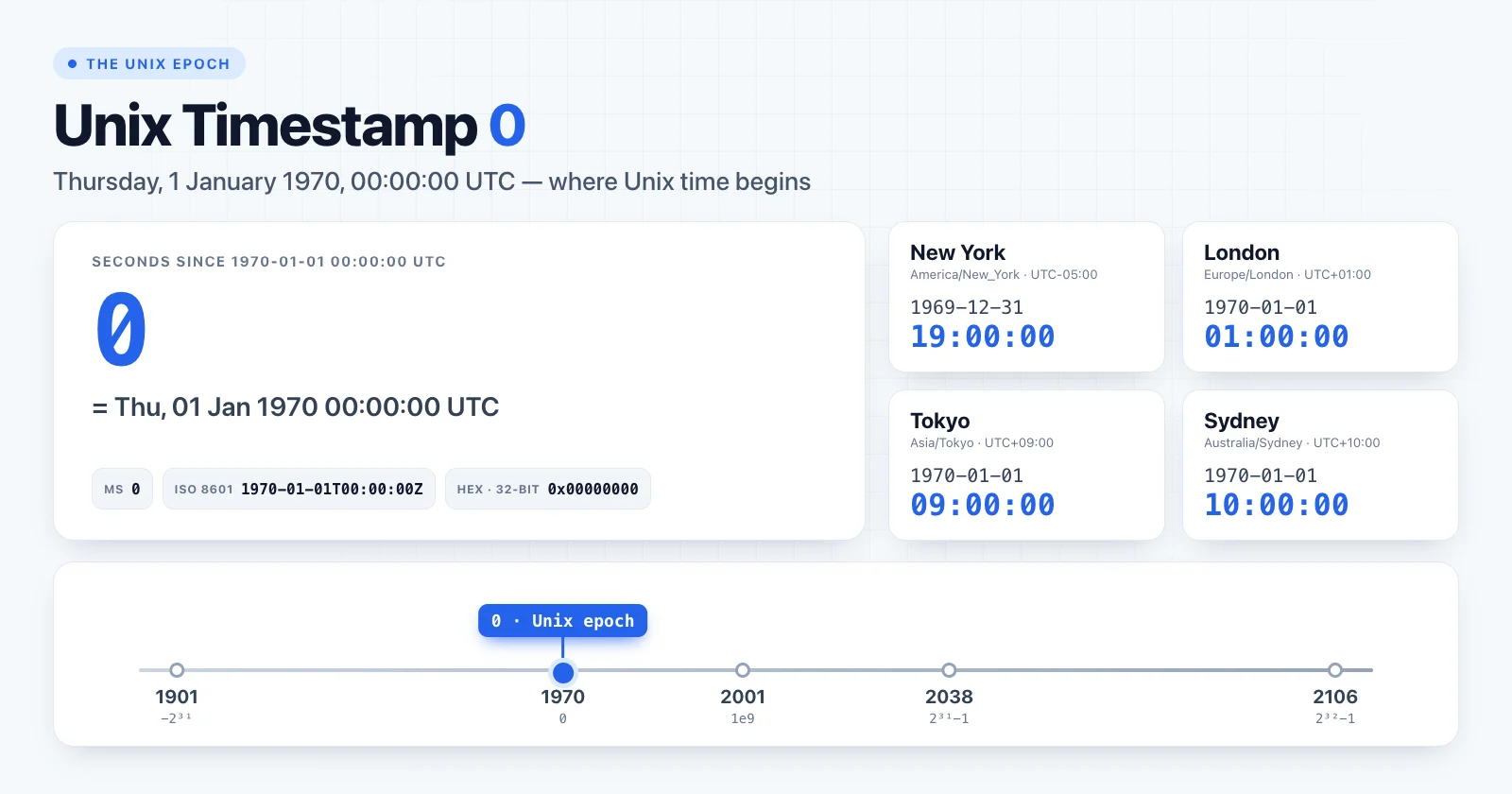
Unix timestamp 0 is the starting point of Unix time: Thursday, 1 January 1970, 00:00:00 UTC. Every Unix timestamp is simply a count of seconds before or after this moment, which is known as the Unix epoch.
In practice, most developers meet timestamp 0 by accident. A date field suddenly shows "1 January 1970" or "31 December 1969", and the cause is almost never a real event from 1970. This guide explains what the epoch is, why it was chosen, and how to find the bugs that produce epoch dates.
Unix timestamp 0 at a glance
| Format | Value |
|---|---|
| Unix seconds | 0 |
| Unix milliseconds | 0 |
| ISO 8601 (UTC) | 1970-01-01T00:00:00Z |
| RFC 1123 | Thu, 01 Jan 1970 00:00:00 GMT |
| Day of week | Thursday |
| Hex (32-bit) | 0x00000000 |
You can check the value yourself in the Unix Timestamp Converter.
The epoch in different time zones
A Unix timestamp has no time zone, but the calendar date you see depends on where you display it. For timestamp 0, that means the year changes depending on location:
| Location | Local date and time | Offset in 1970 |
|---|---|---|
| Los Angeles | 1969-12-31 16:00:00 | UTC−08:00 |
| New York | 1969-12-31 19:00:00 | UTC−05:00 |
| London | 1970-01-01 01:00:00 | UTC+01:00 |
| Berlin | 1970-01-01 01:00:00 | UTC+01:00 |
| Tokyo | 1970-01-01 09:00:00 | UTC+09:00 |
| Sydney | 1970-01-01 10:00:00 | UTC+10:00 |
London is worth a second look. In 1970 the United Kingdom was running an experiment called British Standard Time and stayed one hour ahead of GMT all year, so the epoch was 01:00 in London, not midnight. A good time-zone database knows this. Hand-written offset logic does not, which is one more reason to avoid it (see manually applying time-zone offsets).
Why Unix time starts in 1970
There is nothing astronomical about 1 January 1970. It was a practical choice by the engineers building Unix.
Early editions of Unix measured time in sixtieths of a second from 1 January 1971. At that resolution a 32-bit counter would run out within a few years, so the definition was changed: the clock would count whole seconds, and the starting point moved to the round date of 1 January 1970 UTC. A signed 32-bit count of seconds covers roughly 68 years in each direction, which looked like plenty at the time.
POSIX later standardised this as "seconds since the Epoch". Two details from that definition matter in everyday code:
- Every day has exactly 86,400 seconds. Leap seconds are not counted, so you can always compute a UTC date from a timestamp with plain arithmetic.
- The epoch is defined in UTC. Timestamp 0 is the same instant everywhere; only its local representation changes.
Because the epoch fell on a Thursday, the weekday of any timestamp can be computed directly. With Sunday as 0:
const weekday = (Math.floor(timestamp / 86400) + 4) % 7 // 4 = Thursday
For negative timestamps, use a modulo that never returns a negative number, or simply let Date or Intl do the work.
Why your date shows 1970
When a user interface displays 1970, the timestamp is usually 0 or very close to it. There are three common causes.
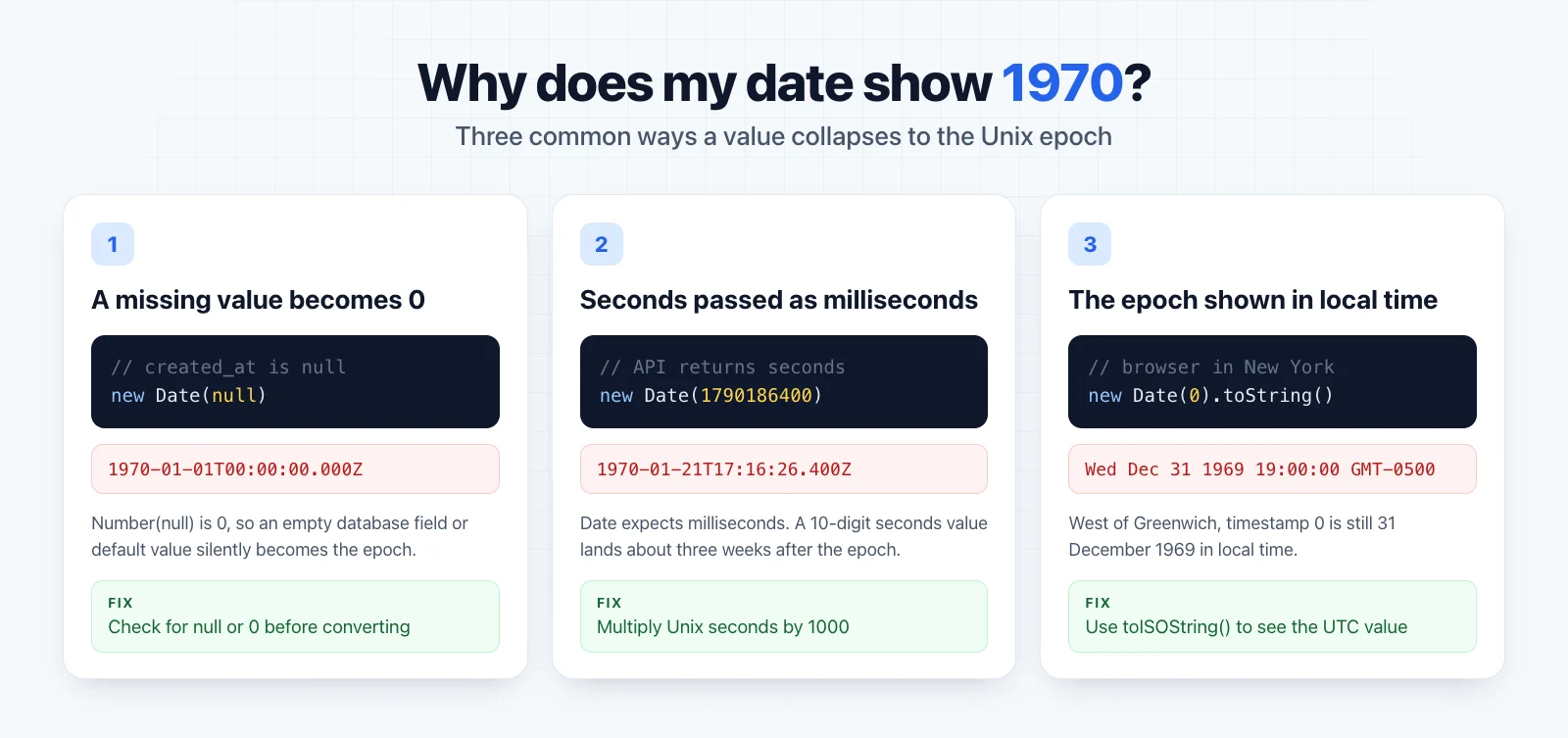
1. A missing value is converted to 0
In JavaScript, Number(null) is 0, so new Date(null) quietly returns the epoch:
new Date(null).toISOString() // "1970-01-01T00:00:00.000Z"
new Date(undefined) // Invalid Date
The same happens in databases and ORMs that use 0 as a default for integer columns, and in serializers that turn an empty field into 0. The fix is to treat "no value" explicitly:
const createdAt = row.created_at == null ? null : new Date(row.created_at * 1000)
2. Seconds are passed where milliseconds are expected
JavaScript's Date expects milliseconds. A 10-digit value in seconds is read as a small number of milliseconds and lands a few weeks after the epoch:
new Date(1790186400).toISOString() // "1970-01-21T17:16:26.400Z"
new Date(1790186400 * 1000).toISOString() // "2026-09-23T18:00:00.000Z"
If the date is in January 1970 but not exactly at midnight, this is almost always the cause. The main guide covers seconds versus milliseconds in more detail.
3. The epoch is displayed in local time
If you see 31 December 1969, the value is 0 and it is being formatted in a time zone west of UTC:
// Browser or server running in New York
new Date(0).toString() // "Wed Dec 31 1969 19:00:00 GMT-0500 (Eastern Standard Time)"
new Date(0).toISOString() // "1970-01-01T00:00:00.000Z"
Nothing is wrong with the conversion itself. The real bug is usually cause 1: a value that should have been empty was converted to a date.
Other systems use other epochs
Unix time is common, but it is not universal. When a timestamp from another platform looks wildly wrong, check which epoch it uses:
| System | Epoch | Unit | Offset to Unix seconds |
|---|---|---|---|
| Unix / POSIX | 1970-01-01 00:00:00 UTC | seconds | 0 |
Windows FILETIME |
1601-01-01 00:00:00 UTC | 100-nanosecond ticks | 11,644,473,600 s |
| NTP | 1900-01-01 00:00:00 UTC | seconds | 2,208,988,800 s |
| GPS time | 1980-01-06 00:00:00 UTC | seconds (no leap sec) | 315,964,800 s |
Apple Cocoa NSDate |
2001-01-01 00:00:00 UTC | seconds | 978,307,200 s |
For example, converting an NTP seconds value to Unix time means subtracting 2208988800. Mixing epochs produces dates that are off by decades rather than by hours, which makes the mistake easy to recognise once you know to look for it.
Converting timestamp 0 in code
JavaScript
new Date(0).toISOString() // "1970-01-01T00:00:00.000Z"
Python
from datetime import datetime, timezone

datetime.fromtimestamp(0, tz=timezone.utc).isoformat()
# '1970-01-01T00:00:00+00:00'
Shell
date -u -d @0     # GNU/Linux
date -u -r 0      # macOS / BSD
PostgreSQL
SELECT to_timestamp(0) AT TIME ZONE 'UTC';
-- 1970-01-01 00:00:00
Always convert to UTC first when debugging. If the UTC value is exactly 1970-01-01T00:00:00Z, you are looking at a zero, not a real date.
Should you ever store 0 as "no date"?
It is tempting to use 0 as a placeholder for "not set", especially in integer columns. It works until someone renders the field, and then users see 1970.
Safer options:
- Use
NULLin databases andnullin JSON for missing dates. - If a sentinel is unavoidable, document it and check for it before every conversion.
- Validate incoming timestamps. A
created_atof 0 on a record created last week is a data error, not a date.
Summary
Unix timestamp 0 is 1970-01-01 00:00:00 UTC, the reference point for all Unix time. It is a valid date, but in real applications it usually signals a bug: a null converted to a number, seconds treated as milliseconds, or the epoch shown in a time zone west of Greenwich.
To inspect any value, paste it into the Unix Timestamp Converter. For the full background on units, time zones and formatting, read Unix Timestamps Explained. The other end of the 32-bit range is covered in Unix timestamp 2147483647 and the Year 2038 problem.